

A quick guide showing you how to invite people to your account
DoxFlowy allows you to purchase seats (and comes with a certain number of seats depending on the plan you’re on).
When you have empty seats, you can invite a user to ‘fill’ that seat in your account. This guide shows you how to accomplish that.
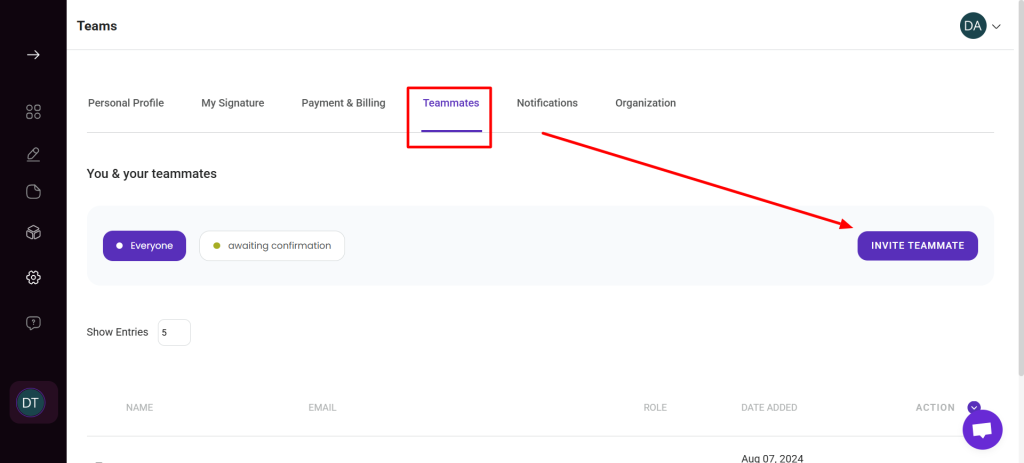
Navigate to your profile page and click on the ‘teammates’ option.
On the page that loads, click on the purple ‘invite teammates’ button.
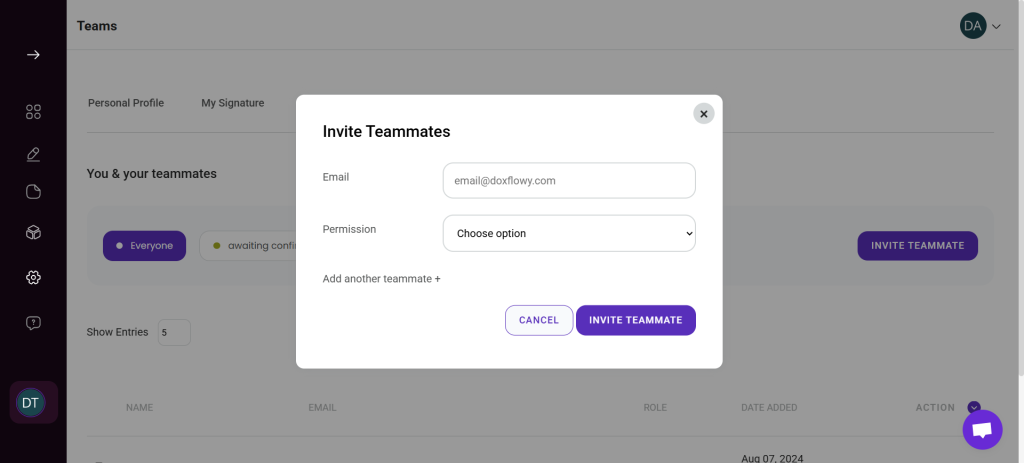
After clicking, a modal will appear asking for the email address of the user and the role they’re going to occupy.
You can either make them an editor or an administrator.
An administrator has control over the account but cannot make changes to the billing.
An editor can use all the document and eSign functionality of the account, but cannot edit organizational settings or add other users.
After adding their email and choosing their role, click the ‘add teammate’ button, and an email notification will be sent to the email you added.