

DoxFlowy provides you with the tools to control the post-signing experience for signatories.
One of the things you can do is redirect them to a page of your choosing.
This guide will walk you through how to accomplish that.
Redirecting signatories #
After you’ve set up your document for signing, the last step is the review and send page.
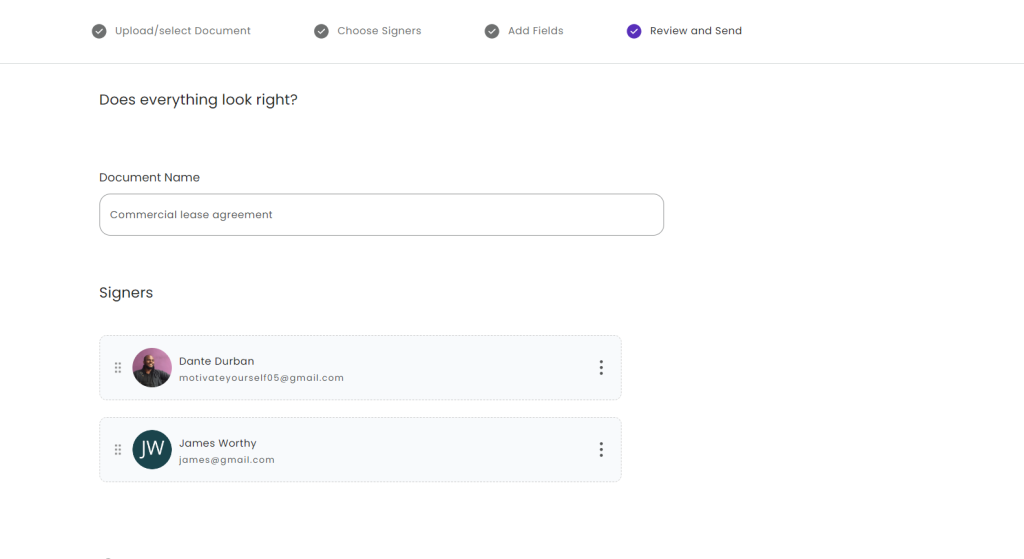
Here, you’ll see the options you chose and can make any last-minute adjustments.
On the same page, scroll down to the bottom, and you’ll see an option labeled ‘redirect to this URL after completion’.
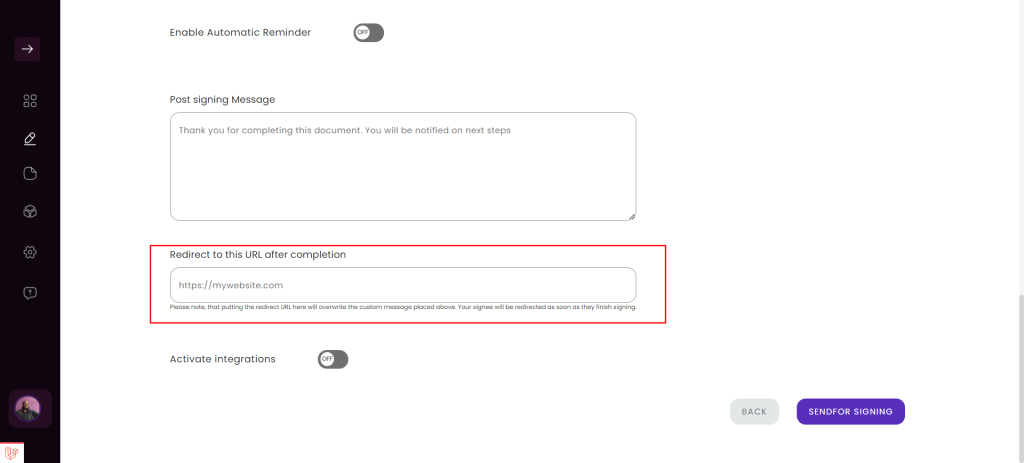
There, you’ll see an input box.
Enter the exact URL you want people to visit after they’ve finished signing the document.
Keep in mind that if you also set up a message that should be shown after signing, it will be overwritten, and the user will be directed to the page you’ve added without seeing the message.
That’s it, you can now send your document for signing. The signatories will be redirected to a new page when they’re done.